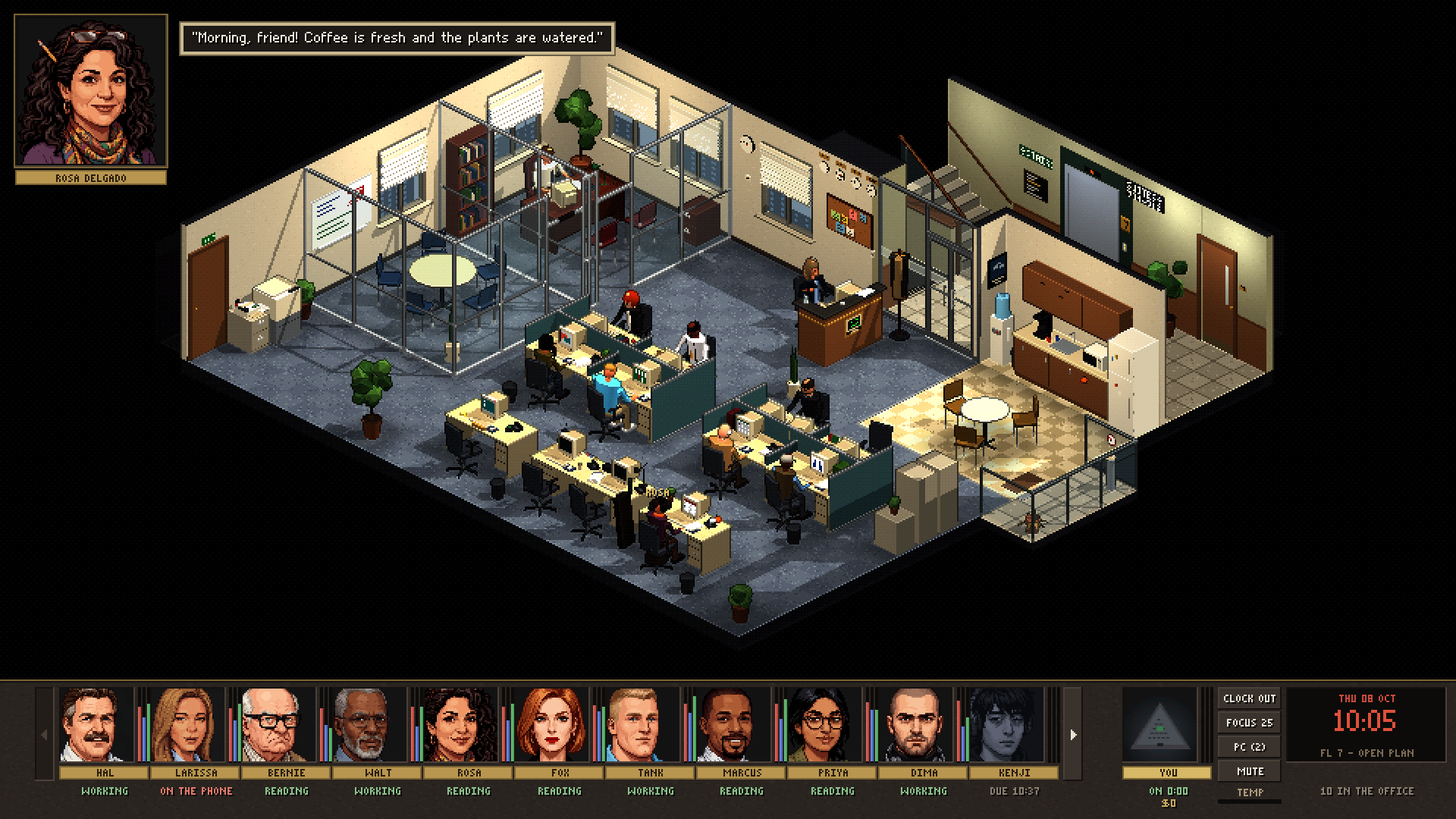
Working alone is quiet. Sometimes too quiet.
A lot of people focus better with others around, even when nobody is watching. Good Company gives you that background: the hum of an office, people working at their desks, a coffee run now and then. No commute, no small talk you didn't ask for.
Leave it open in a tab or on a second screen and get on with your day.
A Thursday at the office, in 34 seconds. Sound on.
Company, structure, and a reminder to look after yourself.
It doesn't manage your tasks. It gives your day the shape an office would.
You're not working alone
Real recorded office sound and eighteen coworkers going about their day. The quiet presence that makes it easier to start and keep going.
Your day has edges
Clock in when you start. Take a focus block when you need to dig in. The office follows your real clock, from the 9:15 stand-up to the nudge at home time.
Someone notices
Coworkers remind you to drink water, stretch and take lunch. Your hours, focus time and streak add up, and a title or two along the way.
A whole office, minus the commute.
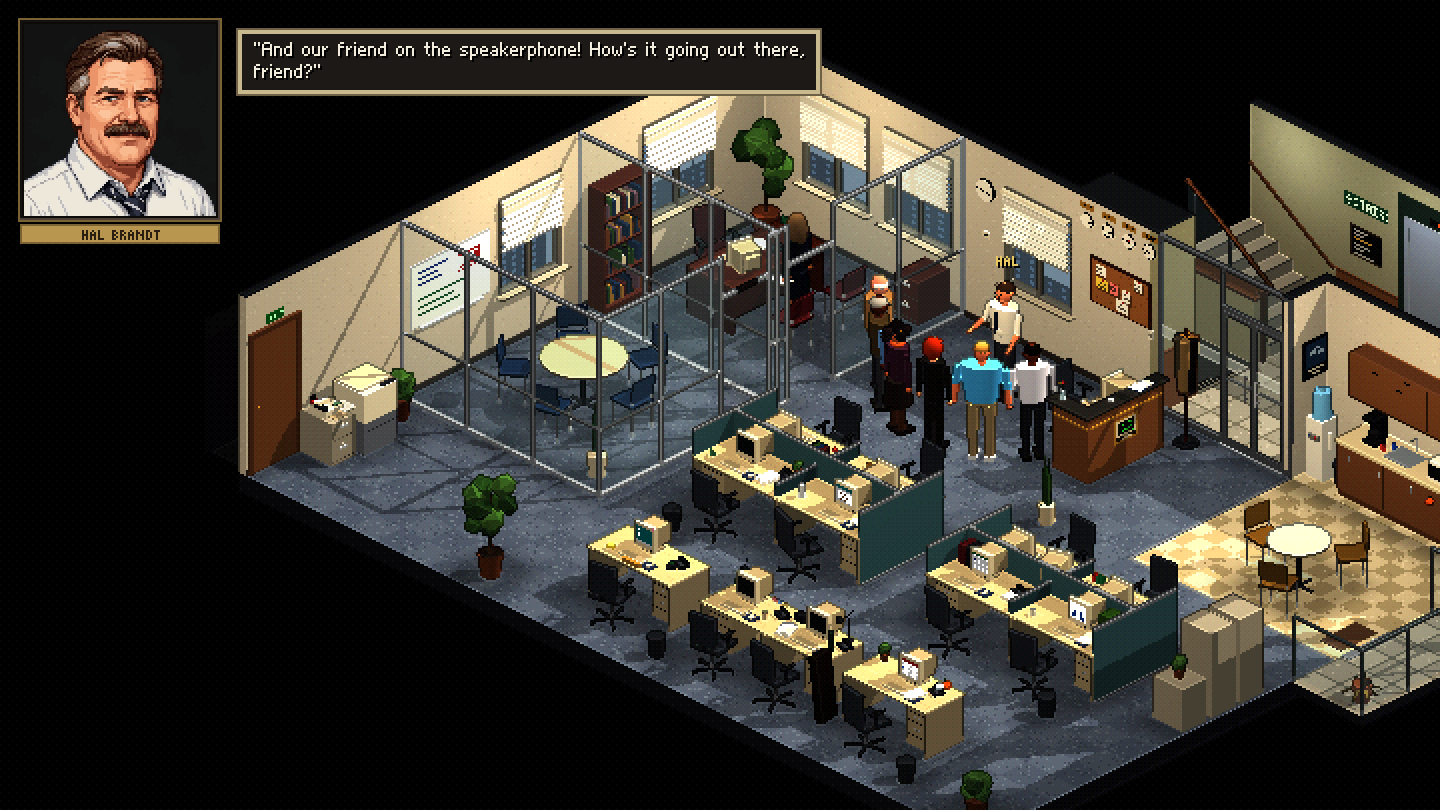
Coworkers with personalities
Eighteen people, each with a face, a job and opinions. They say hello when you clock in, ask about you at the stand-up, and complain if you leave the fridge open.
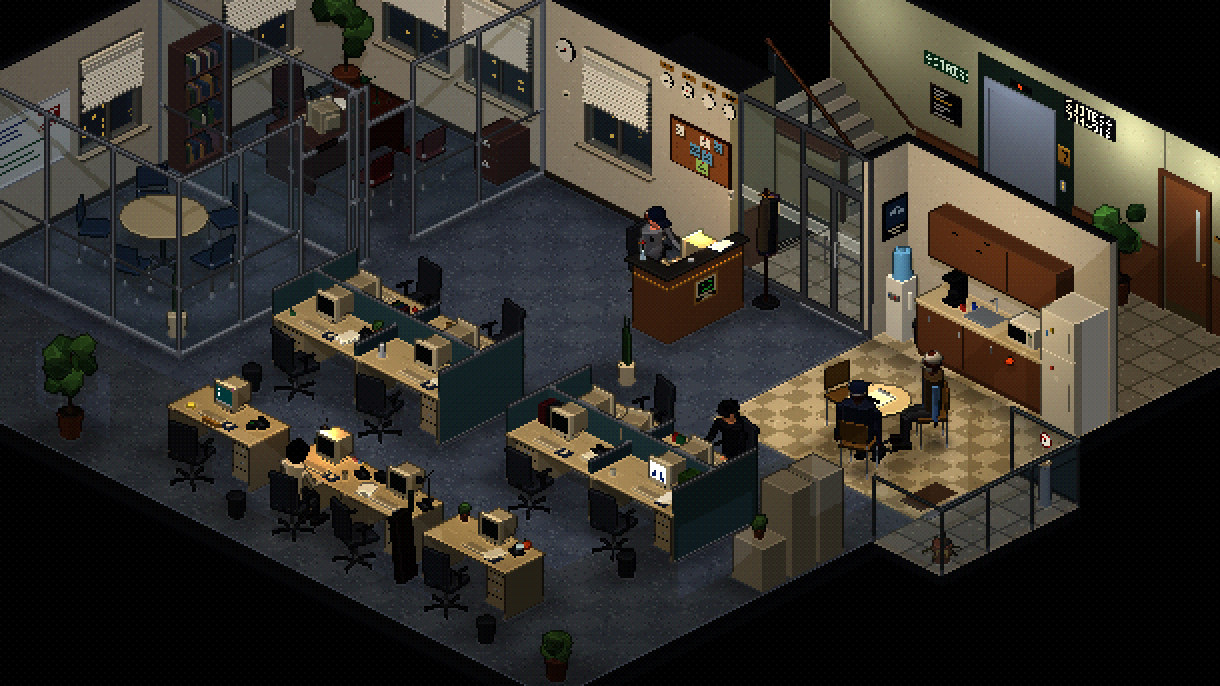
Runs on your real clock
Morning arrivals, lunch, a team meeting at two, sunlight moving through the windows. After hours the night shift takes over and the cleaner plays chess in the kitchen.
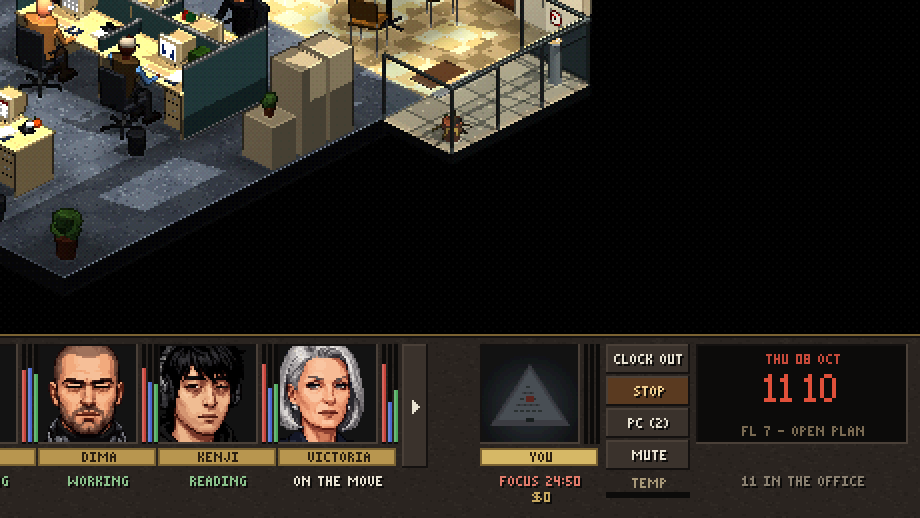
Focus blocks
Start a 25, 50 or 90 minute block. A Do Not Disturb sign goes up on your desk, the office keeps it down, and focused time counts for more.
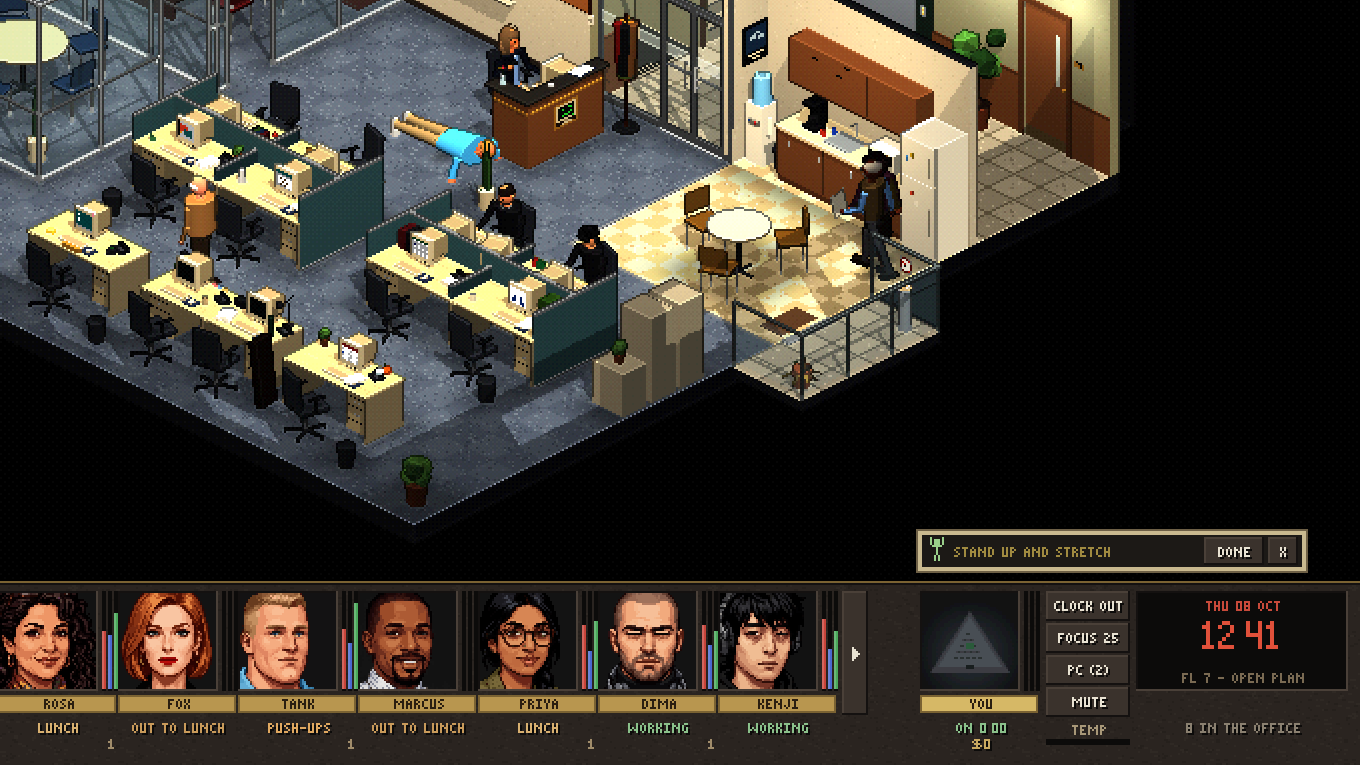
Water and stretch breaks
Now and then a coworker reminds you to drink some water or get out of your chair. Tick it off and get back to work. You set how often, or turn them off.
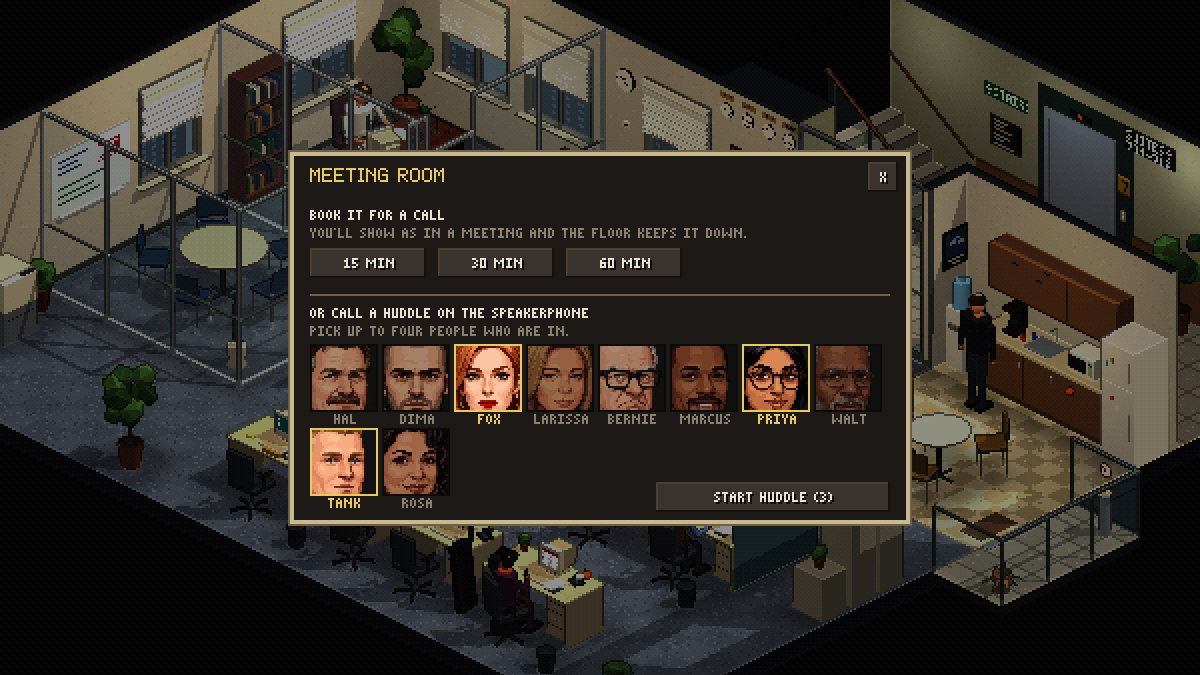
A meeting room for your calls
Book it while you're on a real call and you show as in a meeting while the floor quiets down. Or call a quick huddle and a few coworkers sit in.
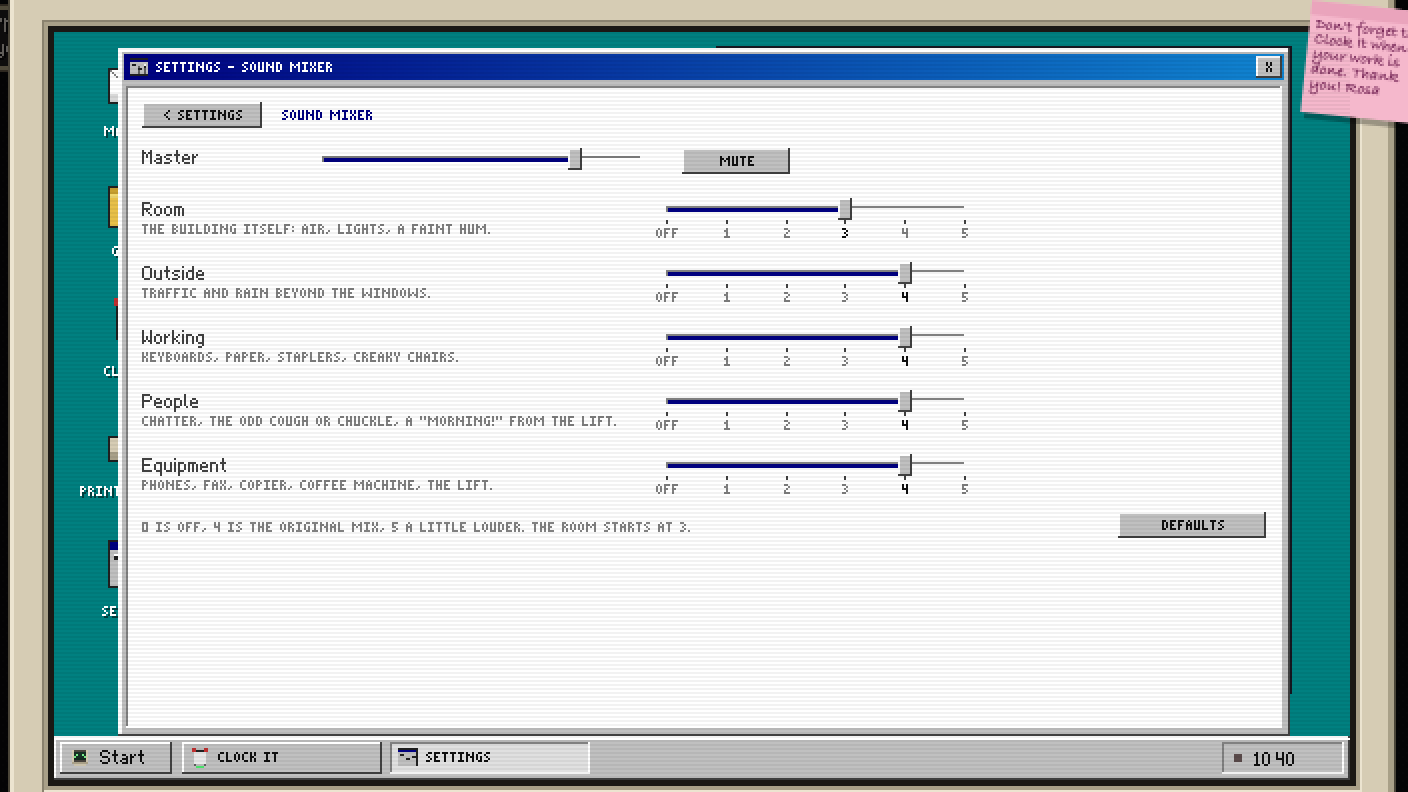
Sound you can tune
Room, outside, keyboards, people and equipment each have their own volume. Turn the chatter down, keep the rain, mute it all for a meeting.
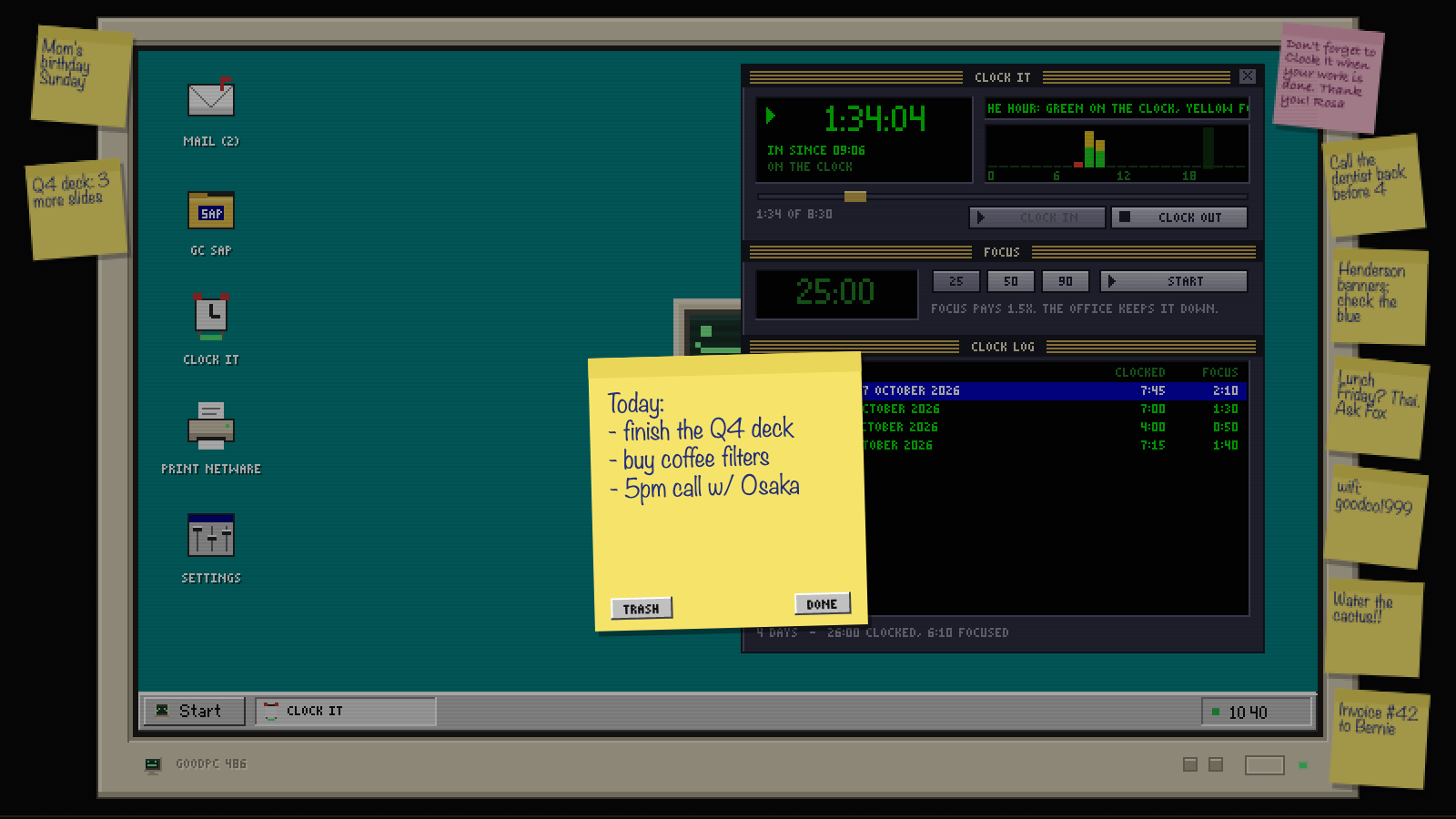
Post-its on your monitorNew
Grab a note from the pad on your desk, write it down and stick it to the frame of your monitor. To-dos, reminders, the lunch order, the Wi-Fi password. (We'd never.) Up to twelve, plus the one Rosa left you about clocking out.
Your desk has its own GOODPC 486 now, too: mail, the staff directory, a Winamp-style Clock It, and a printer that has never once worked.
Three steps, about thirty seconds.
Open the office
It runs in any modern browser on a laptop or desktop.
Clock in
Tell HR your name and clock in when your day starts.
Leave it open
Let it run while you work. The office takes care of the rest.
Prefer an app?
Install Good Company and it gets its own window and icon, works offline, and updates itself whenever you open it online.
Is it free?
Yes. No account, no ads, no tracking.
Where is my progress saved?
In your browser, on your device. Your hours, settings and badge photo never leave it. Switching browsers or installing the app? Settings › Export file, then Import file on the other side.
Does it work on a phone?
It runs, but it's made for a desk. A laptop or a second screen works best.
Who's behind it?
Peter Urfer at Alphaus Studio. The office sounds are CC0 recordings from Freesound.org.